Contributions to the conference may be searched either by date of publication (Chronological) or by matching text (Keywords).
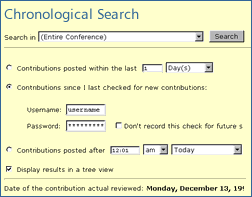
Chronological Search New contributions may be found by clicking on the Chronological link. Before beginning a search you must specify whether to search in the entire conference or in one particular forum. If you are a registered participant with a password, you may enter it and search for new contributions published since your last visit. But you may also search for new contributions within a particular time span whether you have a user account or not.
A search with settings "Entire Conference" and "Contributions posted within the last 30 days" will yield the same results as the quick option "Last 30 days" under the menu "Conference Portal".
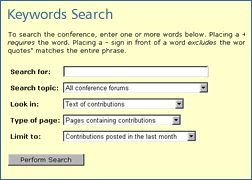
Keywords Search Click on the menu item Keywords to search for text. You may look in subject lines, names of authors or text of contributions (the keyword search applies to all contributions except the attached documents).


 Intro
Intro